使用 Squid 配置代理并让 Jenkins 通过代理下载插件
背景:jenkins下载插件返回403,无法下载~~~😠疯狂吐槽!
原因:403是什么? 客户端请求被服务器拒绝,为什么被拒绝?emm for循环下载被互联网拉黑了...
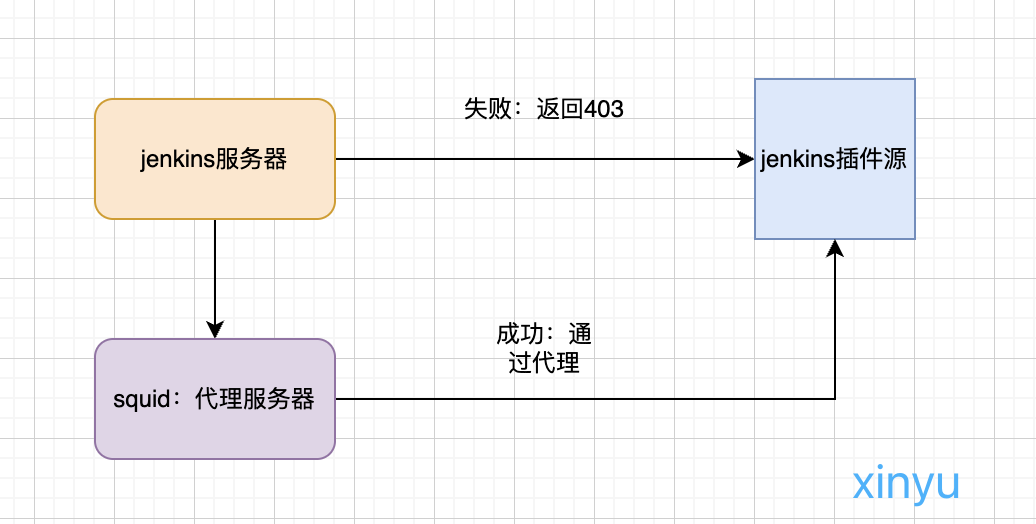
解决方法思路:客户端公网ip被拉黑了,那么我们就换一个!!!走代理访问继续下载...
and 其实也可以在其他服务器安装jenkins进行插件下载后传输到这里=公司环境外网下载传内网
ok,请看下方解决思路流程图
一、Squid 代理服务器配置
1. 安装 Squid
- CentOS / RHEL:
sudo yum install -y squid- Ubuntu / Debian:
sudo apt-get update
sudo apt-get install -y squid
2. 配置 Squid 允许所有 IP 访问(测试阶段)
编辑配置文件 /etc/squid/squid.conf,找到 http_access 相关配置,添加或修改为:
http_access allow all注意: 允许所有访问在生产环境不安全,建议根据需求设置 ACL 限制访问。
3. 开放防火墙端口 3128
sudo firewall-cmd --permanent --add-port=3128/tcp
sudo firewall-cmd --reload
或者用 iptables:
sudo iptables -I INPUT -p tcp --dport 3128 -j ACCEPT4. 启动并设置 Squid 开机自启
sudo systemctl start squid
sudo systemctl enable squid
5. 验证代理服务器是否可用
在客户端机器执行:
curl -x http://<Squid服务器IP>:3128 -I https://updates.jenkins.io/如果返回 HTTP 200,表示代理工作正常。
二、Jenkins 配置使用 Squid 代理
1. 修改 systemd 启动文件
编辑 Jenkins systemd 配置文件(例如 /etc/systemd/system/jenkins.service),找到 ExecStart 行,加入 JVM 代理参数:
ExecStart=/usr/bin/java -Xmx2048m -Djava.awt.headless=true \
  -Dhudson.model.DownloadService.noSignatureCheck=true \
  -Dhttp.proxyHost=<Squid服务器IP> -Dhttp.proxyPort=3128 \
  -Dhttps.proxyHost=<Squid服务器IP> -Dhttps.proxyPort=3128 \
  -jar /opt/jenkins/jenkins.war \
  --httpPort=8080 \
  --logfile=/opt/jenkins/logs/jenkins.log \
  --webroot=/opt/jenkins/workspace
2. 重新加载 systemd 并重启 Jenkins
sudo systemctl daemon-reload
sudo systemctl restart jenkins
3. 测试 Jenkins 插件下载是否走代理
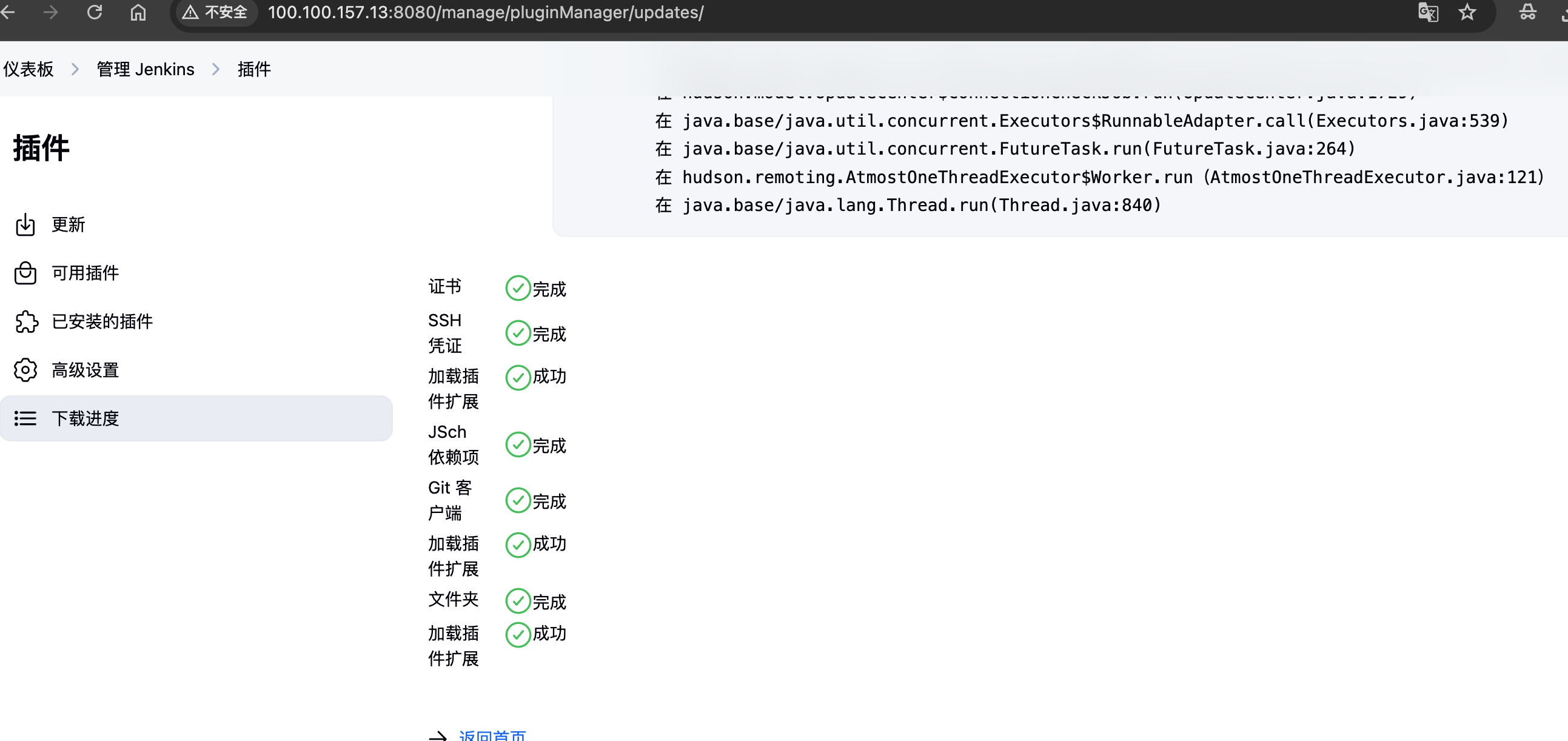
在 Jenkins Web 界面尝试安装插件,查看是否能正常下载。
ok,大功告成,嘻嘻了
4.squid log
下载插件时,squid log 可以看到代理到插件源url
root@instance-nsstydow:/var/log/squid# cat access.log  |tail -10
1748709760.129 537395 223.72.28.24 TCP_TUNNEL/200 4911 CONNECT mirrors.tuna.tsinghua.edu.cn:443 - HIER_DIRECT/101.6.15.130 -
1748709761.215 148878 223.72.28.24 TCP_TUNNEL/200 3798674 CONNECT mirrors.tuna.tsinghua.edu.cn:443 - HIER_DIRECT/101.6.15.130 -
1748709773.303 306342 223.72.28.24 TCP_TUNNEL/200 952 CONNECT mirrors.tuna.tsinghua.edu.cn:443 - HIER_DIRECT/101.6.15.130 -
三、jenkins-plugin-manager 使用代理示例
如果你用 jenkins-plugin-manager 工具手动批量下载插件,也可以通过 JVM 代理参数指定代理服务器:
java \
  -Dhttp.proxyHost=<Squid服务器IP> -Dhttp.proxyPort=3128 \
  -Dhttps.proxyHost=<Squid服务器IP> -Dhttps.proxyPort=3128 \
  -jar jenkins-plugin-manager-2.13.2.jar \
  --war /opt/jenkins/jenkins.war \
  --plugin-download-directory /root/plugins/ \
  --plugin-file /root/plugins.txt
四、Squid 认证检查(可选)
- 查看是否启用了认证:
grep -i auth /etc/squid/squid.conf- 如果启用了认证,配置示例如下:
auth_param basic program /usr/lib64/squid/basic_ncsa_auth /etc/squid/passwd
acl authenticated proxy_auth REQUIRED
http_access allow authenticated- Jenkins 和插件管理工具使用代理时,需要额外添加认证参数:
-Dhttp.proxyUser=用户名 -Dhttp.proxyPassword=密码
-Dhttps.proxyUser=用户名 -Dhttps.proxyPassword=密码
参考
备注: 请根据实际 IP 和路径替换文档中的 <Squid服务器IP> 和文件路径。